
CS 1.6 Monitor
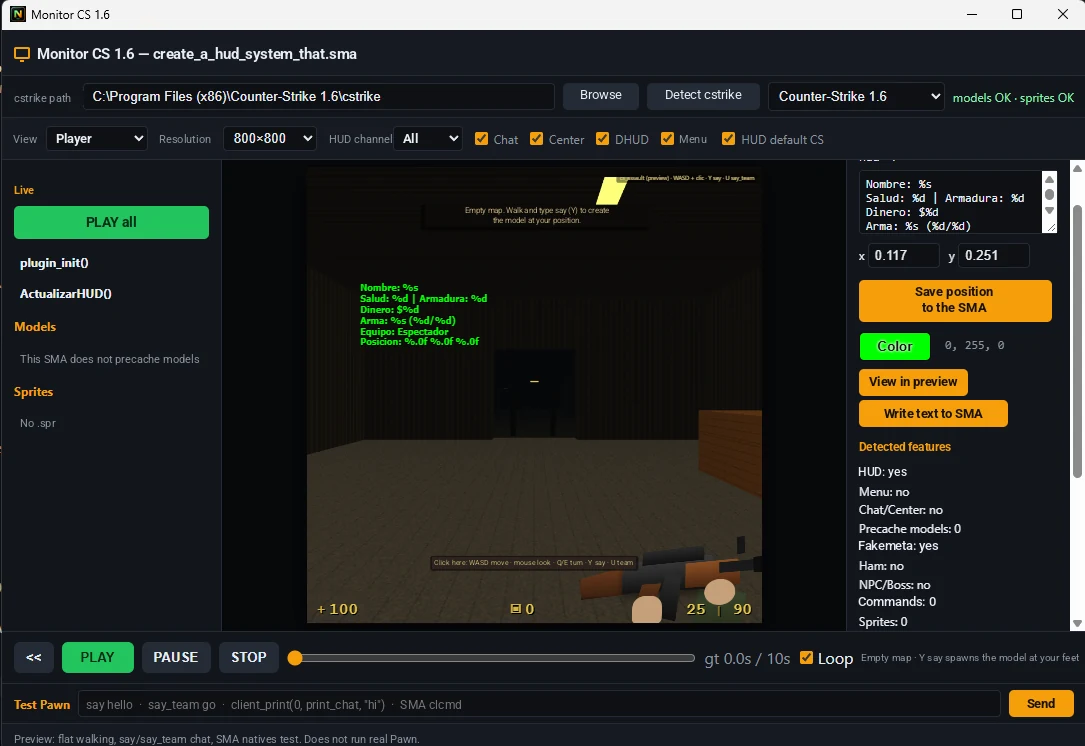
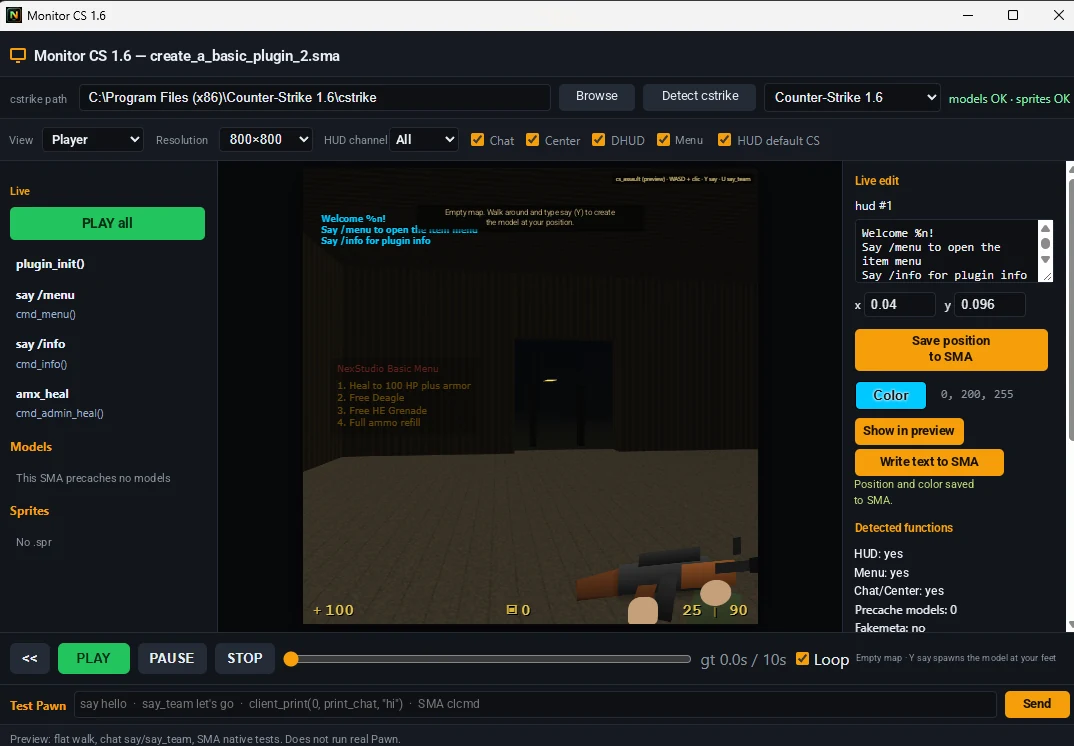
Test your .sma functions inside the IDE: HUD, menus, chat and center messages, plus a Test Pawn console.
Features
Everything you need to script AMXX without improvising in Notepad.
Test your .sma functions inside the IDE: HUD, menus, chat and center messages, plus a Test Pawn console.
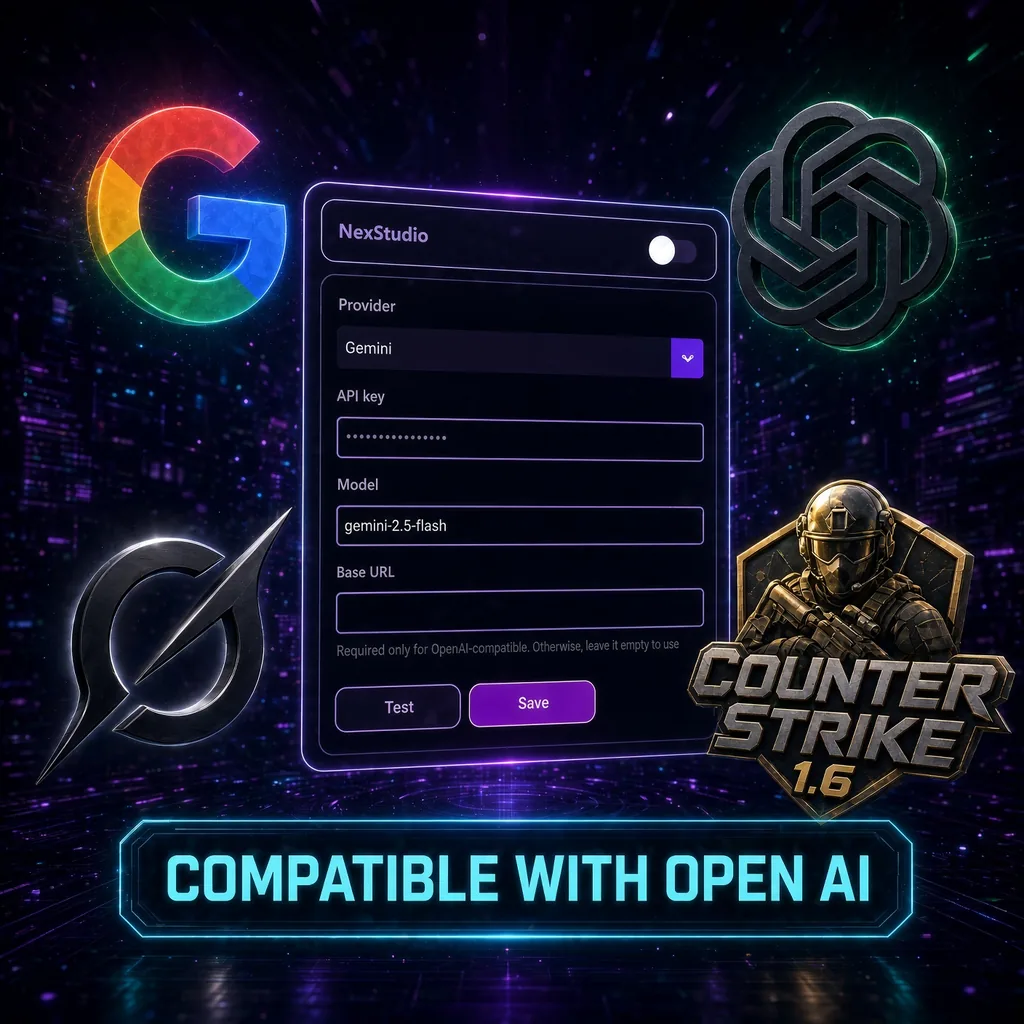
Bring your own AI: Gemini, ChatGPT (OpenAI) or any OpenAI-compatible API.
"Create" opens a new chat; "improve" or "modify" fixes the plugin in the same chat.
Project tree: include, modules and .sma scripts in one panel.
Find natives, functions and text inside your plugins.
Track code changes without leaving NexStudio.
One click to .amxx. Compile OK, warnings and errors at the bottom.
Ask in plain language and get Pawn for CS 1.6 beside your code.
AMXX syntax: includes, publics, strings and comments.
Several .sma files open: plugin, utils and config at once.
Pick 1.8.2, 1.10 or another to match the target server.
Free, Premium, Pro and Programmer visible in the app. Activate without fuss.
Extend the IDE with extra tools for AMXX scripters.
Theme, editor and workspace preferences.
Bottom bar with compile, line/column, UTF-8 and time.
Simulate your plugin inside the IDE: see how HUDs, menus and chat/center messages look, edit HUD position and color and save it back into the .sma.
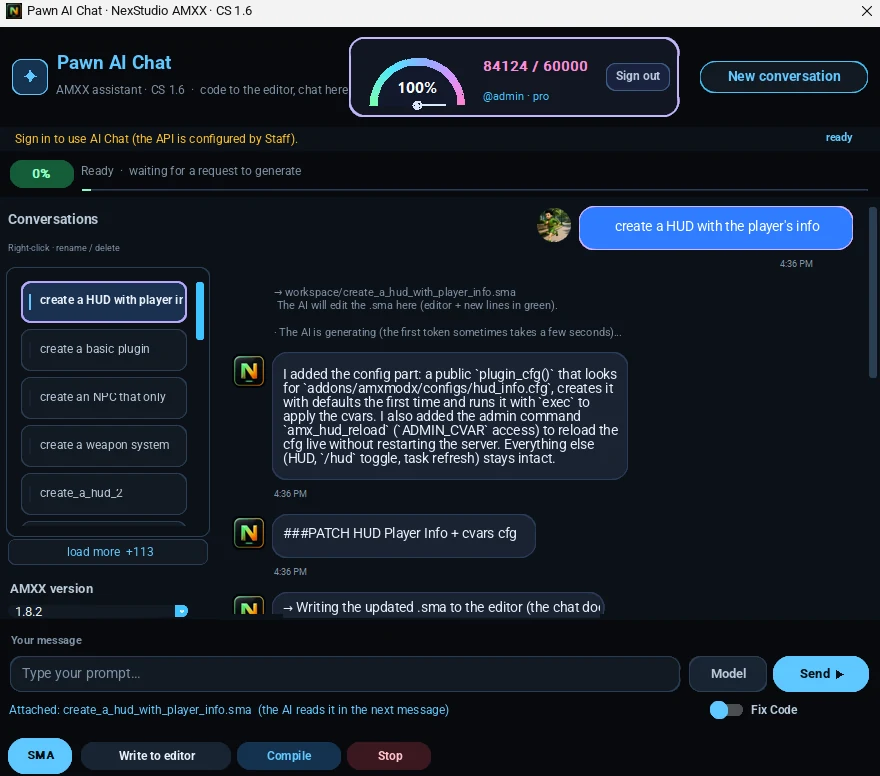
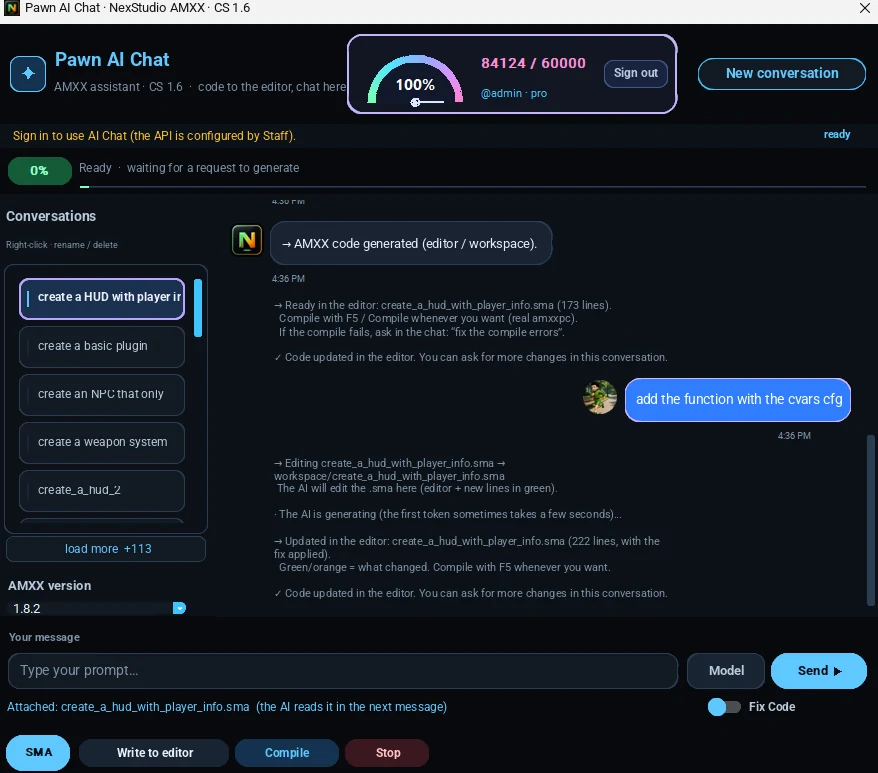
No more "conversation closed": you get multiple conversations. Ask for something new and a new chat opens; ask for improvements and it is fixed in the same one.
Connect your own AI API: Gemini, ChatGPT (OpenAI) or any OpenAI-compatible API. Your key, your model, the same Pawn flow. Turn it off to switch back to NexStudio AI.
Highlighting, projects, templates and a workflow built for .sma — not a generic IDE.
Compile plugins and get a file ready to copy into addons/amxmodx/plugins.
Ask for a plugin in plain text, fix compile errors, and iterate without leaving the app.
Switch AMX Mod X version to match the target server (Premium / Pro).
Fast starts: menus, HUD, bosses, economies, events and admin systems.
Organize multiple plugins. Free includes 1 project; Premium and Pro unlock more.
Paste the compiler error and get a patch aimed at Pawn / AMXX.
On Pro: plugin history, exports and extra AI credits.
New in v1.0.4
CS 1.6 Monitor to see your plugin in action, Pawn AI Chat with multiple conversations and Open source mode with your own AI API.
Test your .sma functions right inside the IDE and see if they work. Edit HUDs and texts (position, color) and save them back into the SMA. Preview menus and chat/center messages, plus a Test Pawn console.
No more "conversation closed": now you have multiple conversations. Say "create" or ask for something new and a new chat opens; say "improve" or "modify" and it is fixed in the same chat.
Plug your own AI API into NexStudio: Gemini, ChatGPT (OpenAI) or any OpenAI-compatible API. You choose which AI writes and improves your plugins.
Also: monitor and icon fixed in the .exe.
All code and assistance are generated with AI specialized in Pawn / AMXX.